
One mouse and keyboard for every PC in the office
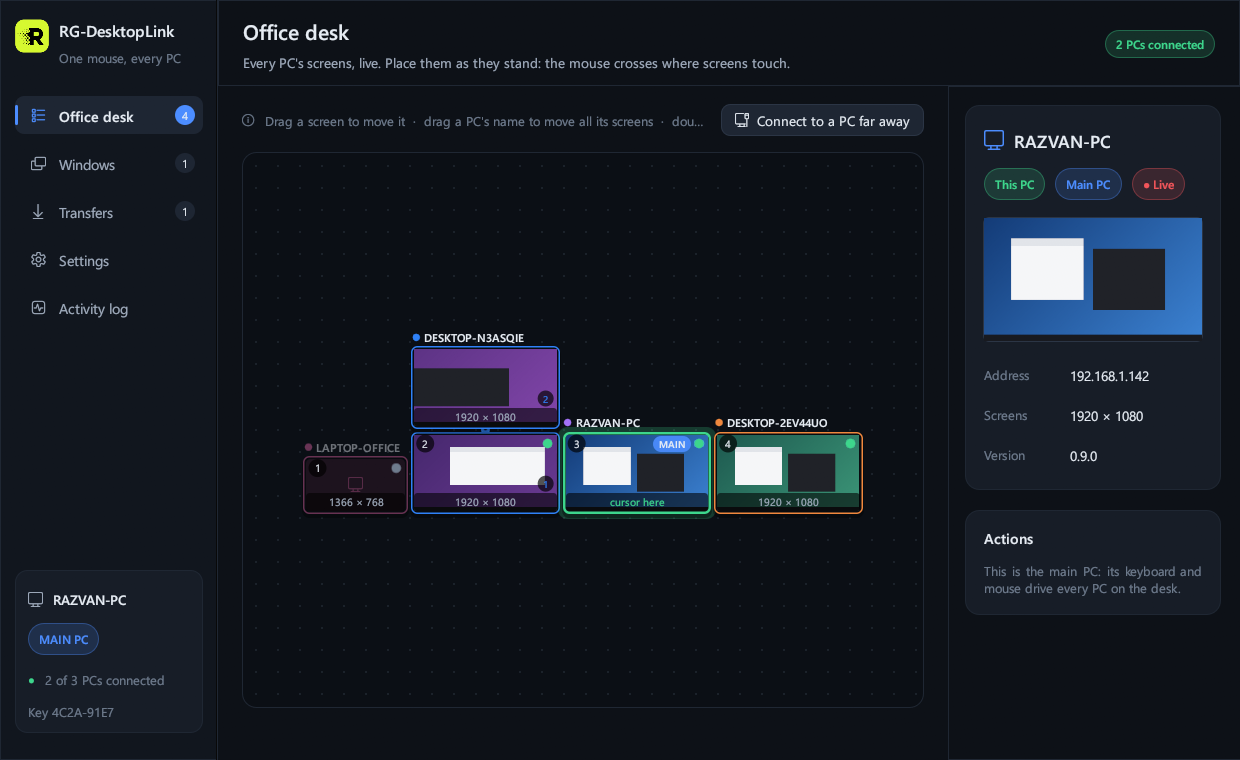
RG-DesktopLink joins the PCs on your desk into one big desktop. Push the mouse off the edge of one screen and it carries on onto the next PC; the keyboard follows. Drag a window over the edge and it moves to the other PC, live. Drag a file and it lands there, picture and all. No cables to buy, no account to make, nothing in the cloud.
See it
What it does
- One mouse, one keyboard. The cursor goes from PC to PC over the screen edges, like one more monitor. Ctrl+Alt+Home always brings it back.
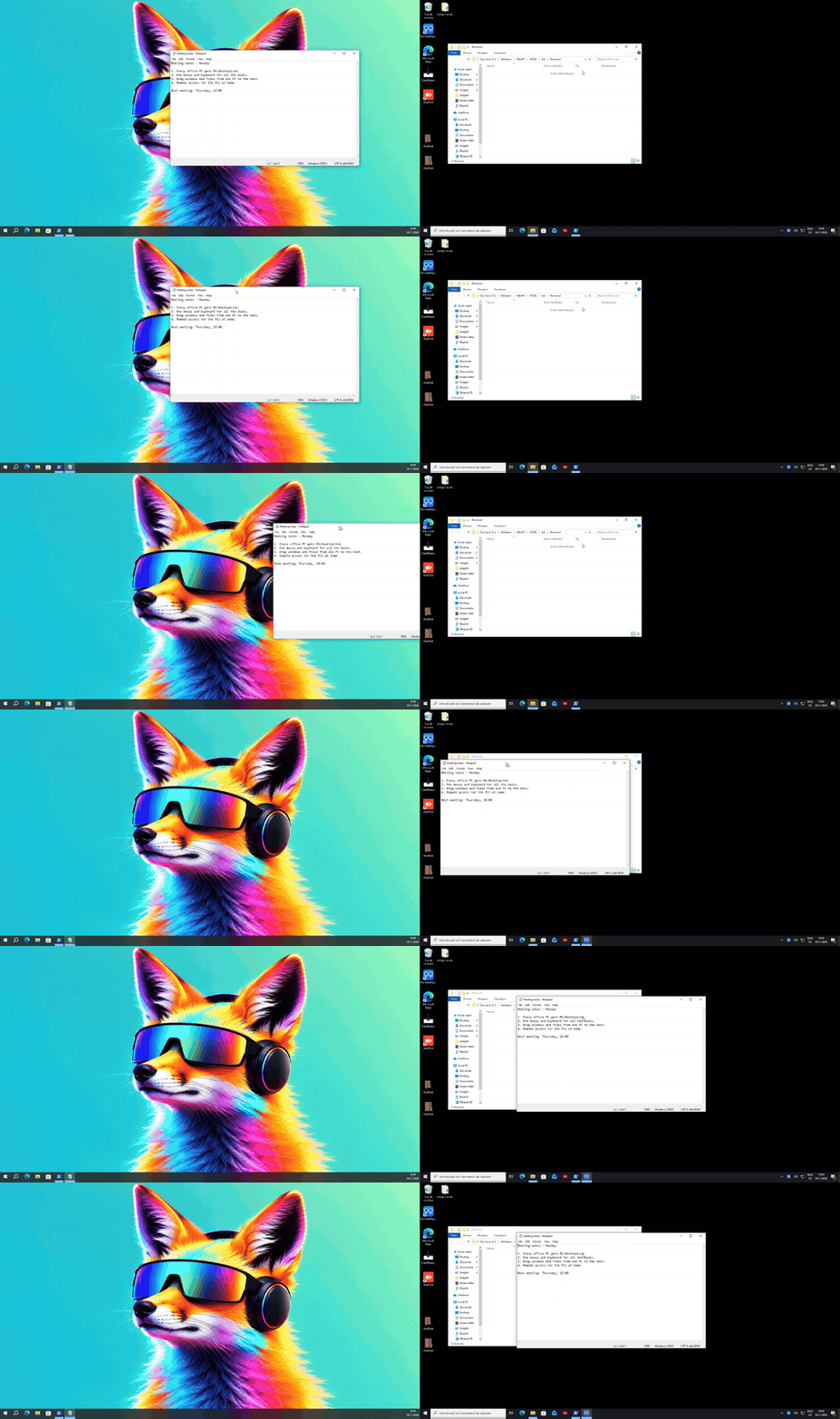
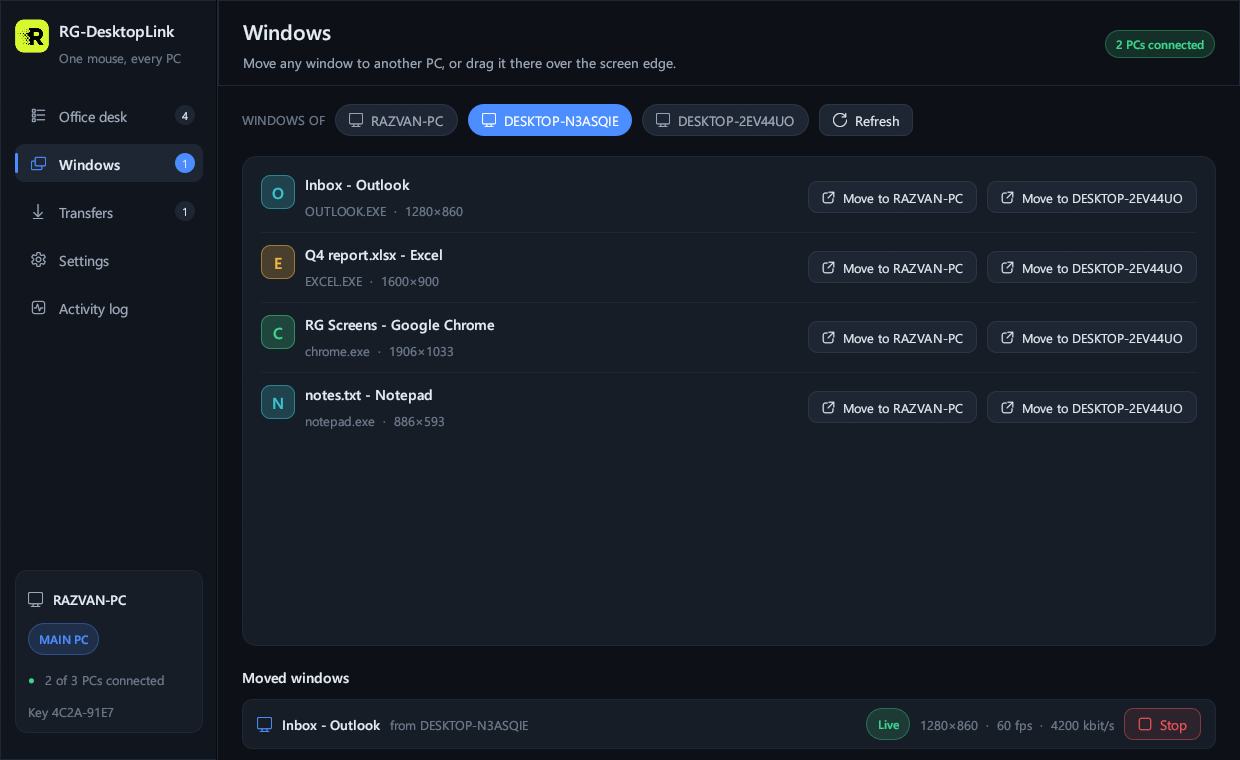
- Move a running window to another PC. Drag it by its title bar over the edge: the part that crosses shows on the other PC at once and follows your hand, 60 times a second. The program keeps running on its own PC; you work in it on the other one.
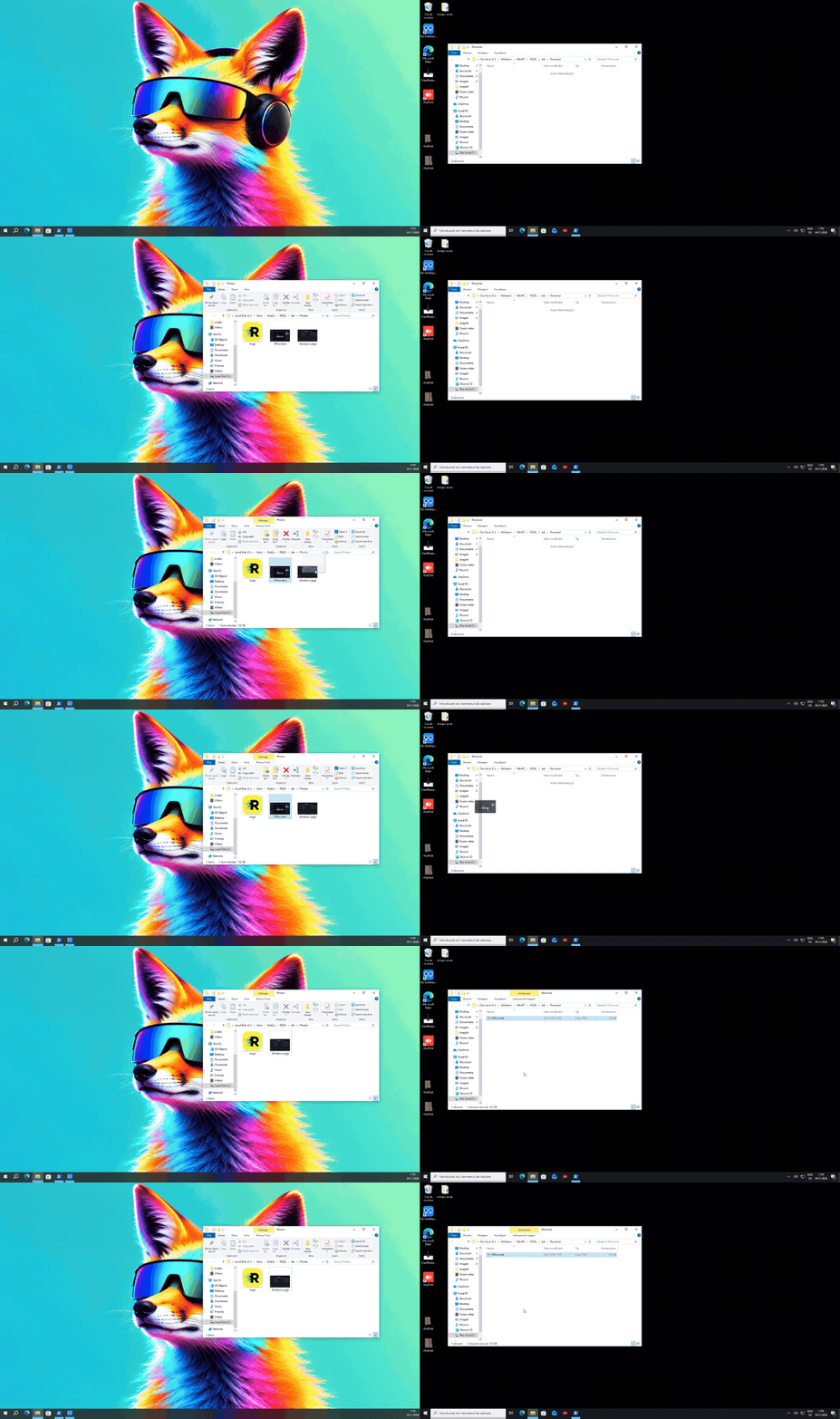
- Move files by dragging. Their picture follows the cursor; drop them in a folder on the other PC and they are moved there (the original goes to the Recycle Bin, so nothing is lost). Hold Ctrl to copy instead.
- Copy here, paste there. Text and files, with a shelf of everything copied lately (Ctrl+Alt+V).
- See and use any PC full screen from your chair, also its lock screen and its "Do you want to allow…" questions.
- Remote access by ID, like AnyDesk, when you are away from the office; and an Android phone as a touchpad and remote screen.
- Wake, lock, restart or switch off any PC from the desk.
Safe by design
Everything between the PCs is encrypted (the Noise protocol, the same family as WhatsApp and WireGuard) with your own office key, which never leaves your PCs. A PC without the key cannot connect, cannot see what you type and cannot control anything. A new PC joins with a 6-digit code from the main PC, valid once and for 10 minutes. There is no server of ours in the middle on your network, and no account.
Price
| Free, for ever | Everything, for 2 PCs (your main PC and one more). |
|---|---|
| More PCs | 9 EUR per PC, paid once. Packs: 5 PCs for 39 EUR, 15 PCs for 99 EUR. Updates of the 1.x versions included. |
Buy more PCs One key for the whole office, by e-mail, right after the payment.
Download
| Windows 10 and 11 | Download 64-bit · version 0.9.0 · one file |
|---|---|
| macOS | Apple silicon and Intel |
| Linux | Ubuntu, Debian, Fedora |
Install it on every PC (the same file). It is free; the third PC asks for a licence. Then read How to use it: five minutes from the first PC to the last.
Needs: all PCs on the same office network (the same router or switch), or a VPN between them. The Mac and Linux versions will work in the same office as the Windows PCs.